·
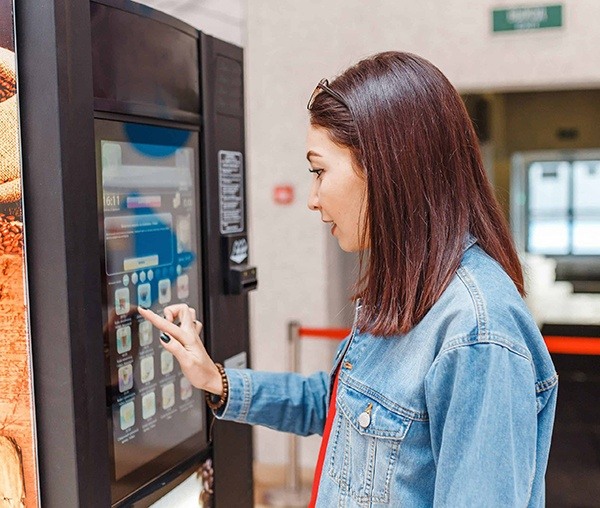
A multi-touch display is a touch screen that detects two or more points of contact at the same time. That lets users pinch, zoom, rotate and swipe, and lets several people use one screen together. On large format touch screens, multi-touch turns a display into a shared, interactive workspace for retail, hospitality, events and education.
In the modern era of ever-advancing technology, innovative solutions like large touch screens with multi-touch interaction are revolutionizing user engagement in many sectors. These displays allow dynamic interaction with the user as the interaction with the digital content becomes direct. From retail and hospitality to places with events, large format touch screen displays help businesses provide engaging and interactive experiences that are imperative to the satisfaction and engagement of their clients.
What is Multi-Touch Technology?
Multi-touch technology enables the simultaneous recognition of multiple touch points on a screen. Gestures such as pinching, zooming in, and even rotating can be used by the users making interaction more seamless and natural. In the case of large format touch screens, the multi-touch capability allows multiple users to simultaneously engage with the display, which enhances interactivity and engagement.
How a Multi-Touch Screen Works
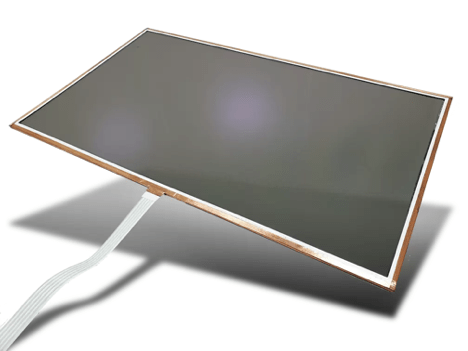
Most modern multi-touch screens use projected capacitive (PCAP) technology. A PCAP sensor places a grid of transparent conductive electrodes, usually made of ITO (indium tin oxide), behind the cover glass. When a finger touches the glass, it changes the capacitance at that point, and the touch controller calculates the position of each contact independently.
Very large screens sometimes use infrared (IR) touch frames instead. An IR frame detects touches when fingers break a grid of light beams across the screen surface, and many IR frames also support multiple touch points.
Touch Points and Palm Rejection
Touch-point count describes how many contacts a screen can track at once. Two points are enough for pinch-to-zoom, while higher counts let several people work on the same large display without interfering with each other. Palm rejection filters out unintended contact from resting hands, wrists or sleeves, so only deliberate touches register.
Multi-Touch vs. Single-Touch Screens
- Single-touch screens register one contact at a time, which suits simple button presses and menu selection.
- Multi-touch screens track several contacts at once, which enables gestures and lets more than one person interact together.
- Resistive touch screens are typically single-touch, while PCAP touch screens are typically multi-touch.
E3 Displays offers PCAP touchscreens and other touch panels that can be integrated into custom displays.
Enhancing Customer Engagement in Retail
Large touch screen display devices have emerged as the latest product showcasing technology in stores or supermarkets. Shoppers can easily flip through catalogs, explore product features, and compare products with a mere sweep of their hands. Attention and even interest may be drawn by interactivity due to multi-touch capabilities. Such displays can also serve retailers in a way that enables them to advertise and promote certain messages in a way that is dependent on the individual customer.
Boosting Efficiency in Hospitality
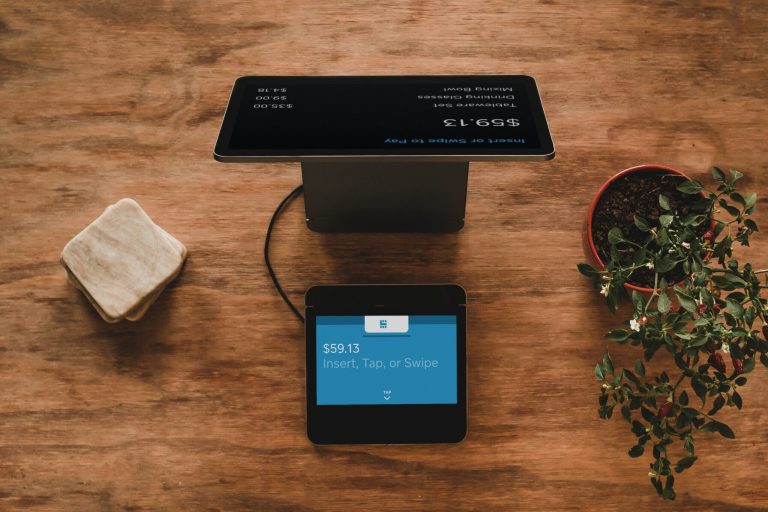
In the hospitality sector, large touch screens streamline services by enabling self-service check-ins, ordering, and information access. Hotels, restaurants, and event venues can use multi-touch displays for digital kiosks, allowing guests to interact with the system and find information independently. This reduces wait times and enhances convenience, especially during peak hours. Additionally, the interactive nature of large format touch screens helps create a memorable guest experience, reflecting positively on brand perception.
Dynamic Information Sharing at Events
For conferences, exhibitions, and other large events, large touchscreen displays serve as effective information hubs. Attendees can access event schedules, locate venues, and explore exhibitor profiles, all through intuitive touch interactions. Multi-touch capabilities allow multiple users to interact with the display simultaneously, enabling information sharing without crowding. This functionality supports a seamless flow of information and makes navigation easier in complex event setups.
Increased Interactivity and Learning Opportunities
In educational settings, large format touch screens with multi-touch capabilities are well suited for collaborative learning. Students can interact with the content, which facilitates learning through interactions. Such displays enhance the participation of the group and stimulate exploration, thus actively engaging the learners in classrooms and even training sessions. Multi-touch features give educators the tools to create a fluid learning environment addressing the needs of different learners.
Key Benefits of Multi-Touch Large Displays
- Enhanced Engagement: Multi-touch features foster user engagement, allowing for intuitive interactions that hold customer interest.
- Improved Efficiency: Self-service options and information hubs reduce waiting times and improve user experience in high-traffic environments.
- Versatile Applications: Suitable for various sectors, from retail to education, multi-touch displays adapt to different needs and enhance usability.
- Collaborative Use: Multiple users can interact with the screen simultaneously, making it ideal for events, educational settings, and group activities.
- Natural Gestures: PCAP multi-touch screens recognize pinch, zoom, rotate and swipe gestures through durable cover glass.
Investing in Large Touch Screen Displays
Larger multi-touch screen monitors or touch displays are an added advantage to organizations and firms that wish to offer touch-responsive modern services. They are handy and improve experience and hence serve a wide range of uses. As businesses incorporate more strategies that focus on improving the customer experience and increasing efficiency, it becomes necessary that large format touch screen monitors which are multi-touch are incorporated for the reasons above.
What to Consider When Choosing a Multi-Touch Display
- Touch technology and touch-point count, based on how many people will use the screen at once
- Cover glass thickness and strength for public or high-traffic locations
- Brightness in nits, plus optical bonding or anti-reflective film for bright rooms or windows
- Glove, stylus or water tolerance for the environment
- Screen size, landscape or portrait orientation, and hours of daily operation
E3 Displays customizes large format touch screen displays up to 100” with multi-touch capability, optical bonding and other enhancements.
Wrapping Up
Large format displays with multi-touch capabilities are transforming the way businesses, educational institutions, and event organizers interact with their audiences. These displays enhance engagement, streamline operations, and foster collaboration across various sectors. By enabling intuitive interactions and supporting multiple users, they provide a dynamic, interactive experience that meets modern demands. Investing in multi-touch large displays ensures businesses remain competitive, offering innovative and efficient solutions to meet customer and operational needs. Contact E3 Displays for more information on large touch screen displays and solutions.