An in-display fingerprint sensor (also called an under-display or in-screen fingerprint reader) is a biometric scanner mounted beneath a phone’s display. Optical versions photograph the finger through gaps in an OLED panel; ultrasonic versions map its ridges with sound waves. Compared with basic 2D face unlock, a quality fingerprint sensor is generally harder to fool.
Technology is evolving day by day. We have seen a period from password to pin code and now fingerprint and face unlock for device protection. Companies are still working to enhance security and provide a safe environment to their users. The in-display fingerprint sensor is now a common feature on mobile phones with custom OLED displays. .It first appeared on a handful of smartphones in 2018 and has since spread to many mid-range and premium models.
Mobile Phones & Security Evolution:
Physical Fingerprint Scanner:
Before in-display fingerprint scanner technology, mobile devices were using both front and rear-mounted fingerprint scanners. Both in-display and physical fingerprint sensors are continuing to develop and grow. They provide a secure and efficient way to unlock a user’s phone which is why many phone manufacturers started opting for this feature on new smartphones over a password or pin unlock.
Face Unlock Technology:
We were then introduced to the face unlock feature, which is another security feature added to smartphones, along with a fingerprint scanner. The security in basic 2D face unlock compared to a fingerprint scanner is generally weaker, since a photo or someone who looks very similar to you may be able to unlock some phones. The reason is that there is an algorithm behind face unlock technology that creates and matches facial features. So, when the algorithm runs, it unlocks the phone if it finds a similar face pattern saved in the memory. Security writers questioned how much face recognition improved on fingerprint unlock when Face ID launched in 2017. “Although face recognition is better than no protection at all, it’s not relatively more secure than Touch ID,” written by Forbes.
Face ID vs Fingerprint: Which Is More Secure?
It depends on the type of face recognition. Basic 2D face unlock, which relies on the regular front camera, is easier to fool with photos or look-alikes than a fingerprint sensor. Apple’s Face ID is different: it projects an infrared dot pattern to build a 3D depth map, and Apple rates its random false-match odds as lower than Touch ID’s. Apple also notes that twins, close relatives and children under 13 are more likely to cause a false match, so for some users a fingerprint sensor remains the more predictable choice.
In-Display Fingerprint Technology:
In-display Fingerprint technology has been used mostly with OLED displays. One of the first mobile phones that came with an in-display fingerprint sensor was Vivo X21. Vivo became the first company that took the risk and introduced this technology to the world. The device came with a custom OLED display which allowed the use of in-display technology. Apple was widely rumored to be considering this technology for the iPhone X, but the phone launched with Face ID instead. Later, Samsung also postponed using this technology to Samsung S10. After Vivo’s first in-display device, this technology is being used by many mobile phone companies, and demand for this technology is growing day by day. We are now seeing the use of this technology even in mid-range smartphones coming from Samsung, Vivo, Xiaomi, Oppo, and many others. There are still some issues with the technology like slow scanning process etc. that we are hopeful will be resolved soon in the coming devices. Today, we are going to discuss in-display technology in detail. We will see how it works, its advantages and disadvantages, and more importantly, its role in helping people and making their lives easy. First, let’s have a glance at the history of fingerprint readers and how it all started.
History:
The story of fingerprint readers all started in 2004 when Pantech GI100 introduced this technology. It was often cited as the first kind of mobile phone which came with a fingerprint reader. In 2007, Toshiba launched the G900 and G500, which followed the same trend. Later, other manufacturers, including HTC, Motorola, and Acer, also joined the party, which Pantech GI100 started. In 2013, Apple used a fingerprint reader for the first time on iPhone 5S. They called it Touch ID.

How Do In-Display Fingerprint Sensors Work?
The basic working and scanning process between the physical fingerprint and in-display fingerprint scanner is the same. In simple words, we can say that there is a specific position under the custom touch screens where you can place your finger for the scanning process. It will unlock the device only if it matches with the saved biometric data. There are three types of fingerprint scanners. They are the following:
- Optical Scanners
- Ultrasonic Scanners
- Capacitive Scanners
We will only discuss the first two types here. Capacitive sensors are used widely, but they are not yet used for in-display custom touch screens.
Optical Scanners:
The first type is Optical Scanner and works mainly with custom OLED displays. It has been here for quite some time now and is one of the oldest fingerprint scanners for biometric verification. The in-display fingerprint sensor is embedded under the custom touch panel. It illuminates the sensor’s functioning area so a user can understand where to place a finger to unlock the device.
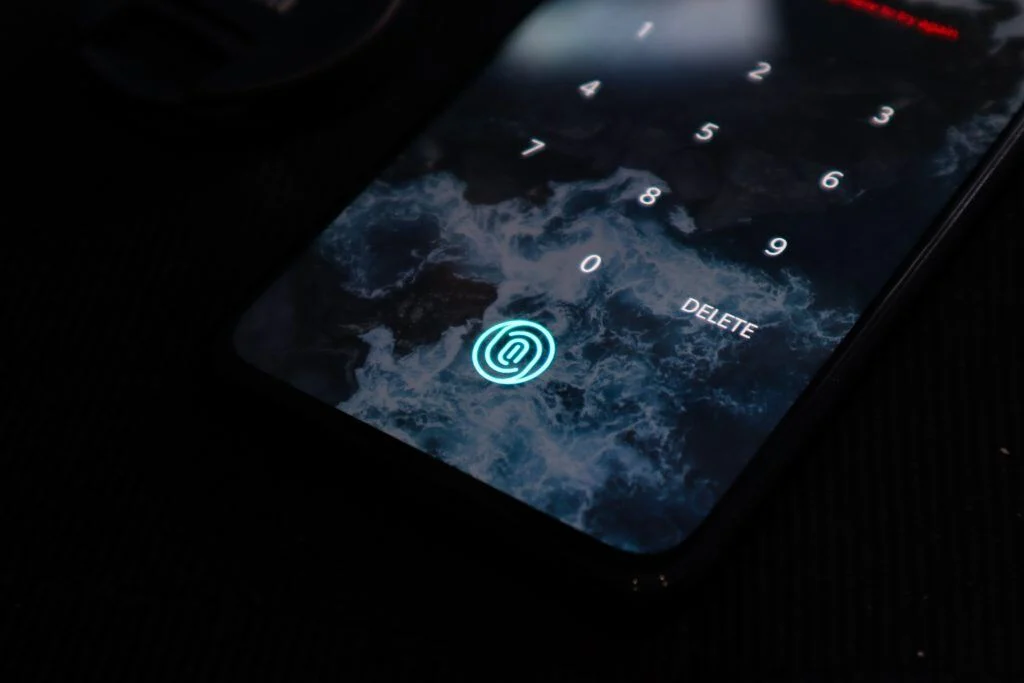
When you touch the illuminated area of the custom OLED display, there is a camera under the custom touch panel that takes your illuminated finger’s image and compares it with the stored biometric data. The image will then be compared with the already stored biometric record, and it will unlock the phone after biometric verification. It is used in many phones, including the Meizu 16s. The Vivo X21 used Synaptics’ Clear ID sensors for fast, efficient, and high-resolution fingerprint scanning. Since it captures 2D images when it detects the finger on the illuminated functioning area, many people think it is less secure than ultrasonic scanners because creating fake 2D images is easy. Optical scanners are fast, and depending on software optimization, they can unlock the device as fast as a physical fingerprint scanner. Today, many smartphone makers are using optical scanners for their mid-range mobile devices.
How Do Optical Scanners Work?
A charge-coupled device (CCD) or CMOS image sensor is placed at the optical sensor’s heart, which is the same sensor used in digital cameras. CCD is an array of light-sensitive diodes known as Photosites that can generate electrical signals in response to light photons. Once you place fingers on the custom touch panel, the OLED pixels above the sensor light up to illuminate the ridges and gaps, and then the CCD camera sensor can take pictures quickly and compare them with registered biometric data. Researchers have shown that some optical sensors can be fooled with high-quality 2D fake fingerprint images, so security depends heavily on the sensor and its anti-spoofing software. This technology only works with OLEDs where there are gaps in the backplane. Experts are working hard to improve this technology more and more and provide stronger security.
Ultrasonic Scanners:
The ultrasonic scanner is the newest technology compared to the optical scanner and is generally considered more resistant to spoofing. Instead of making 2D images, the ultrasonic scanner uses sound waves to capture an accurate 3D map or image of your fingerprint. The ultrasonic scanners are mostly used in high-range devices. Samsung has a partnership with Qualcomm to bring their very first in-display ultrasonic fingerprint scanner device, which is Samsung S10 and S10+. Qualcomm’s 3D Sonic sensor was also first used by the same Samsung device. Qualcomm’s first-generation ultrasonic scanner technology was specified to work through cover glass up to 800 microns thick. The company also claimed that there is a 250-millisecond latency between a finger touching the screen and unlocking the phone. Other than security, they are often more reliable than optical scanners. You can use an ultrasonic scanner under custom touch panels with wet fingers and they generally tolerate dirt and dust better.
How Do Ultrasonic Scanners Work?
The hardware of the ultrasonic scanner consists of an ultrasonic transmitter and receiver. As soon as the finger touches the custom touch panel, the scanner starts processing and creates a 3D image of the fingerprints. When the finger touches the screen, an ultrasonic pulse is passed by a transmitter, which collides with the ridges and valleys on the fingertip. Some of the pulse pressure is absorbed during this process, while some are bounced back to the sensor. When the ultrasonic scanner detects a finger touch, the sound waves have to go through a custom touch panel’s backplane, glass, protective cover, and then reach to your finger. It is recommended and ensured by custom display manufacturers that the cover glass is thinner to provide a more accurate reading. It is also recommended not to use a screen protector on touch screens that utilize in-screen fingerprint sensors as it can affect the scanner’s capability to accurately read the print.
Optical vs Ultrasonic Fingerprint Sensors
- How they read: optical sensors capture a 2D image of the finger lit by the display; ultrasonic sensors build a 3D map using sound waves.
- Spoof resistance: ultrasonic sensors are generally harder to fool with a flat fake print.
- Wet or dirty fingers: ultrasonic sensors typically cope better.
- Display compatibility: optical sensors need light to pass through the panel, which suits OLED; ultrasonic sensors read through the glass and display stack.
- Cost: optical sensors are less expensive, so they appear in more mid-range phones.
How Do Under-Display Fingerprint Sensors Affect Screen Design
An under-display sensor removes the need for a separate fingerprint button, which frees space for a larger screen. In exchange, the display stack has to be designed around the sensor: cover glass thickness, adhesives, optical bonding layers and any coatings or films all affect how well light or ultrasound reaches the finger. These are the same stack-up decisions E3 Displays manages in custom display design projects.
Advantages and Disadvantages of In-Display Fingerprint Sensor:
There are some advantages as well as some disadvantages of in-display fingerprint technology. Let’s discuss them one by one.
Advantages:
- They are best when we talk about security. Unlike face unlock, fingerprint technology is more secure.
- It is easy to use. You don’t need to remember passwords, pin codes, or patterns. Just place your finger, and it will unlock the phone.
- It is cost-effective. We are seeing that optical scanners, along with physical fingerprints, are coming in low and mid-range devices.
- They are fast. There is no match to the physical fingerprint scanner’s speed, but now experts are doing their best to make optical and ultrasonic scanners fast as well.
- It is non-transferable, which means unlike passwords and pin codes, you cannot share your fingerprint with anyone.
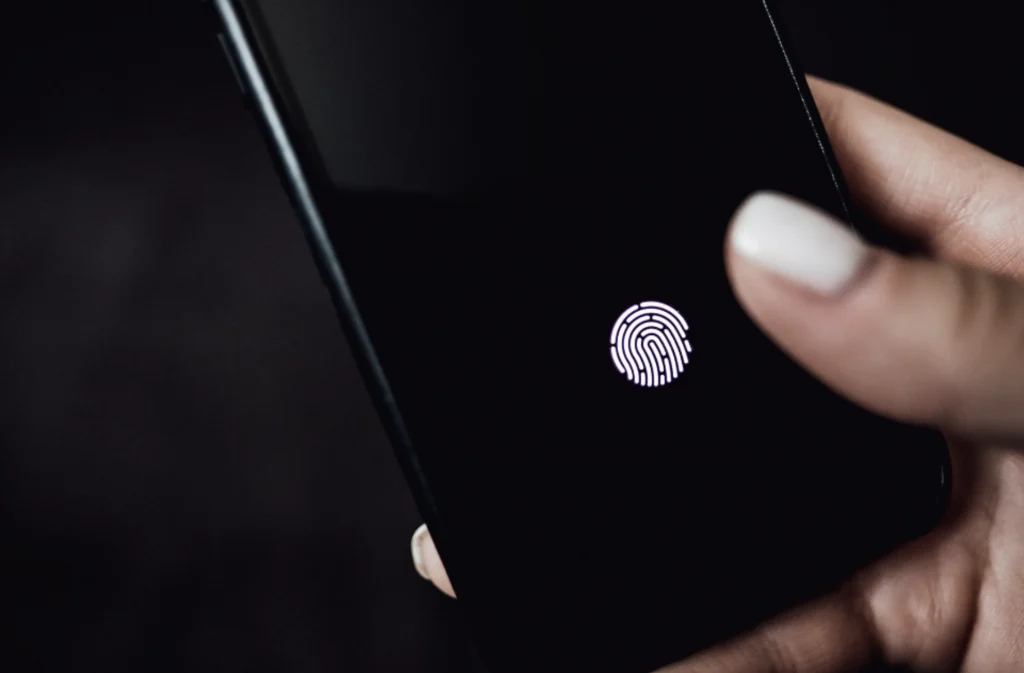
- The illuminated functioning area on custom touch screens for in-display technology can help the user realize where to place their finger to unlock the device.
Disadvantages:
- Optical scanners are not as secure because someone can easily capture a fake 2D image and breakthrough security.
- Ultrasonic scanners are more costly than optical scanners. That’s the reason they are only used in high-end premium smartphones like Samsung S10.
- Depending on the technology used, the fingerprint scanner may not recognize your fingerprint due to dust or a wet finger.
- The in-display fingerprint scanner is used mainly with OLED displays, which has limited its use in lower-cost LCD-based devices.. Companies are beginning to develop technology that will allow in-screen fingerprint sensors in LCDs.
How does the pandemic help in growing fingerprint technology?
Using face unlock is a very efficient, convenient, and fast way to unlock your phone, but facemasks make this process slower. Face unlocking technology works on an algorithm that creates and matches the pattern on the face, and then if the pattern matches, it unlocks the phone. Masks on the face can prevent the algorithm from detecting the face correctly since it cannot match all the patterns. In this situation, fingerprint sensors are especially useful, especially the in-display and side-mounted fingerprint scanners. Although the rear-mounted fingerprint scanner is fast, people are now looking for a more convenient way to unlock the device. Sometimes, the rear-mounted fingerprint scanner is placed in such a position and place that it is difficult for us to place a finger correctly. For example, the Samsung S8+ fingerprint scanner is small and positioned under the camera, which is difficult for the user to naturally detect and can end up putting their fingerprint on the camera lens instead of the scanner. The in-display and side-mounted fingerprint scanner help users in this situation. With a side-mounted fingerprint scanner, their finger naturally detects the scanner as there is also the power button. In comparison, the in-display fingerprint scanner is slower but still helps users unlock the phone more efficiently and naturally. Since then, some face recognition systems have added mask support; for example, Apple added an option to use Face ID with a mask in iOS 15.4 on supported iPhones.
Conclusion:
The in-display fingerprint scanner was considered impossible because of its complexity, but it is finally here and widely used in smartphones. The in-display fingerprint technology is rapidly growing and developing. We are seeing optical scanners in more mid-range smartphones, and ultrasonic sensors in premium models. Ultrasonic scanners are generally stronger than optical scanners in terms of security and speed but at the same time, can cost more. Mask wearing during the pandemic also showed the value of offering fingerprint unlock alongside face recognition.
About E3 Displays:
We’re a global design and manufacturing company that helps the world’s most innovative companies define the future of their business display needs. With over 20 years of combined experience in display technology, E3 Displays has everything you need to develop and manufacture your custom touch display all in one place. With customer-centric solutions featuring strategic planning, competitive pricing, longevity, and support, we ensure the best products on the market to help you scale. In the end, displays are a centerpiece in any hardware that provides a very important visual message in your product. We want to ensure that the visual entity exceeds your optical and performance requirements. Explore E3’s custom OLED displays, touch panels and optical bonding services, or contact our Phoenix, AZ engineering team to discuss your display stack.